Documentation
Moxie docs
Moxie turns real-world yes/no events into perpetual contracts on Solana: go long or short as the outlook changes, add to or trim your position at any time, and exit before the event closes.
Getting startedWallet to first trade, step by step with screenshots.Trading guidePrices, margin, fees, and what happens when an event closes.How it worksSource markets, the three prices, funding, keepers and settlement.TroubleshootingWhat each error message means and how to fix it.TypeScript SDKBuild transactions, size orders and decode accounts in code.Indexer APIRead markets, prices, fills and portfolios over HTTP.
Moxie in one minute#
- Every market tracks a yes/no event listed on a source prediction market (currently Panta), such as “Saka scores 7+ FPL points in Gameweek 6”.
- Each contract trades between $0 and $1. Its price follows the source market, so it rises as the event looks more likely and falls as it looks less likely.
- Go long to gain when the price rises, short to gain when it falls. Your profit or loss is the price change times your number of contracts.
- Positions are backed by USDC collateral in your Moxie portfolio. One deposit covers every market.
- Trading stops shortly before the event closes; any position still open is closed automatically at the market’s protected price.
The markets page#
Everything starts from the markets list.
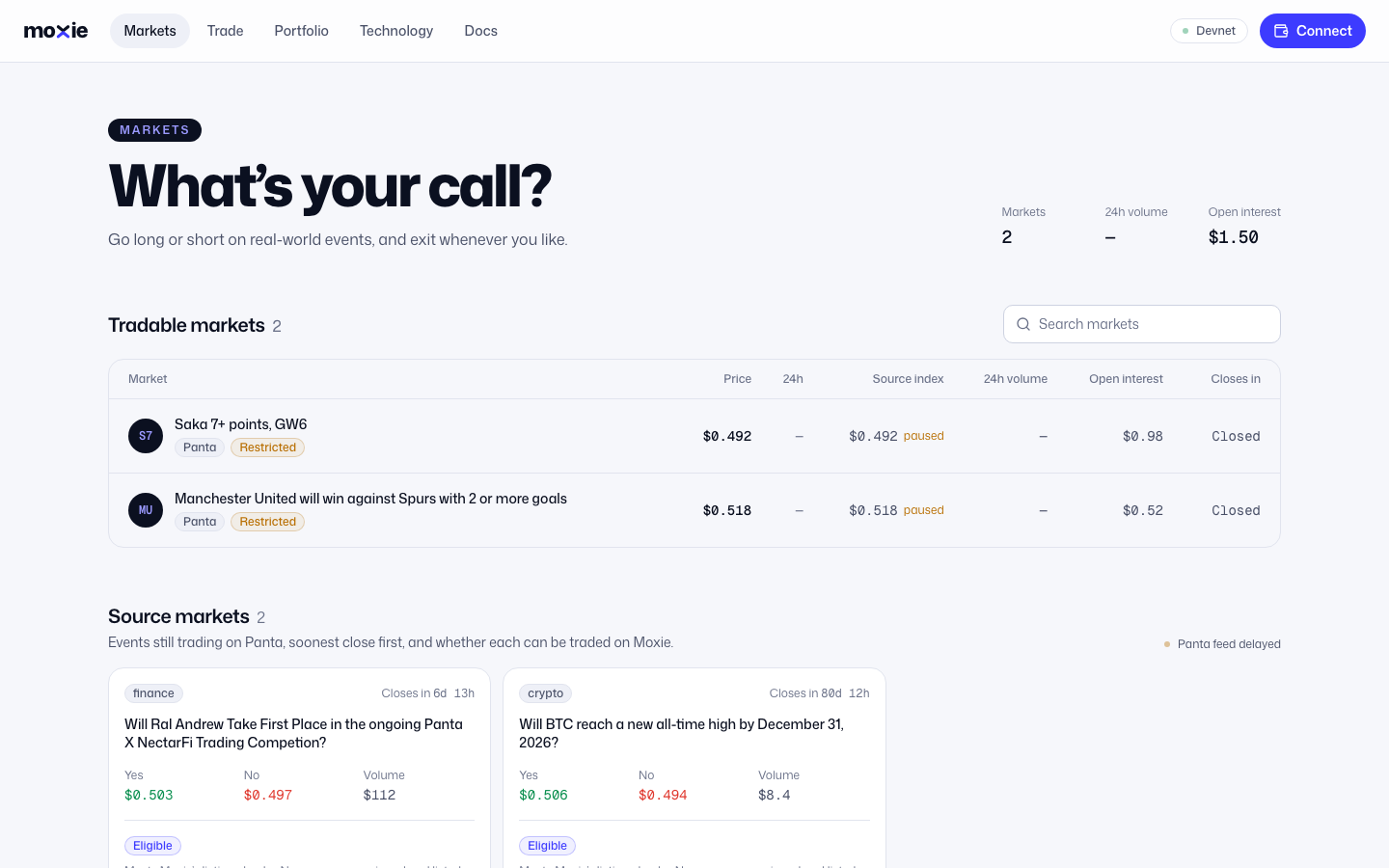
- 1. Each row is a market. Click it to open the trading screen.
- 2. The current contract price and how much it moved in the last 24 hours.
- 3. Time until the source event closes. Trading winds down before this (see Trading guide).
- 4. Source markets lists events on the source prediction market that Moxie can list next.